— Est. 2026 · Bedtime audiobooks —
Audiobooks
that pause when you do.
With Apple Watch, DreamRead follows your pulse and, over time, learns how you fall asleep — gently pauses when you drift, and opens tomorrow on the very sentence where sleep found you.
A quieter kind
of bedtime ritual.
Sleep-pause
Your Apple Watch sends your heart rate. You pick when to pause - from a light doze to deep sleep - and DreamRead tunes itself to your own falling-asleep rhythm over time. When you drift, the voice gently pauses, and your place is held until morning.
Resumption
Open the app tomorrow and you're right back on the sentence where you fell asleep. Your place saves every few seconds — nothing is ever lost.
Classics, beautifully narrated
Over a thousand public-domain titles from LibriVox, read by narrators chosen for their calm pacing and warm timbre. Search by author, browse by section, or just open whatever sits on the front shelf.
A listener's tools
Speed, chapters, bookmarks, sleep timer. Everything a serious listener wants — and nothing a sleepy listener needs to hunt for.
Your own library
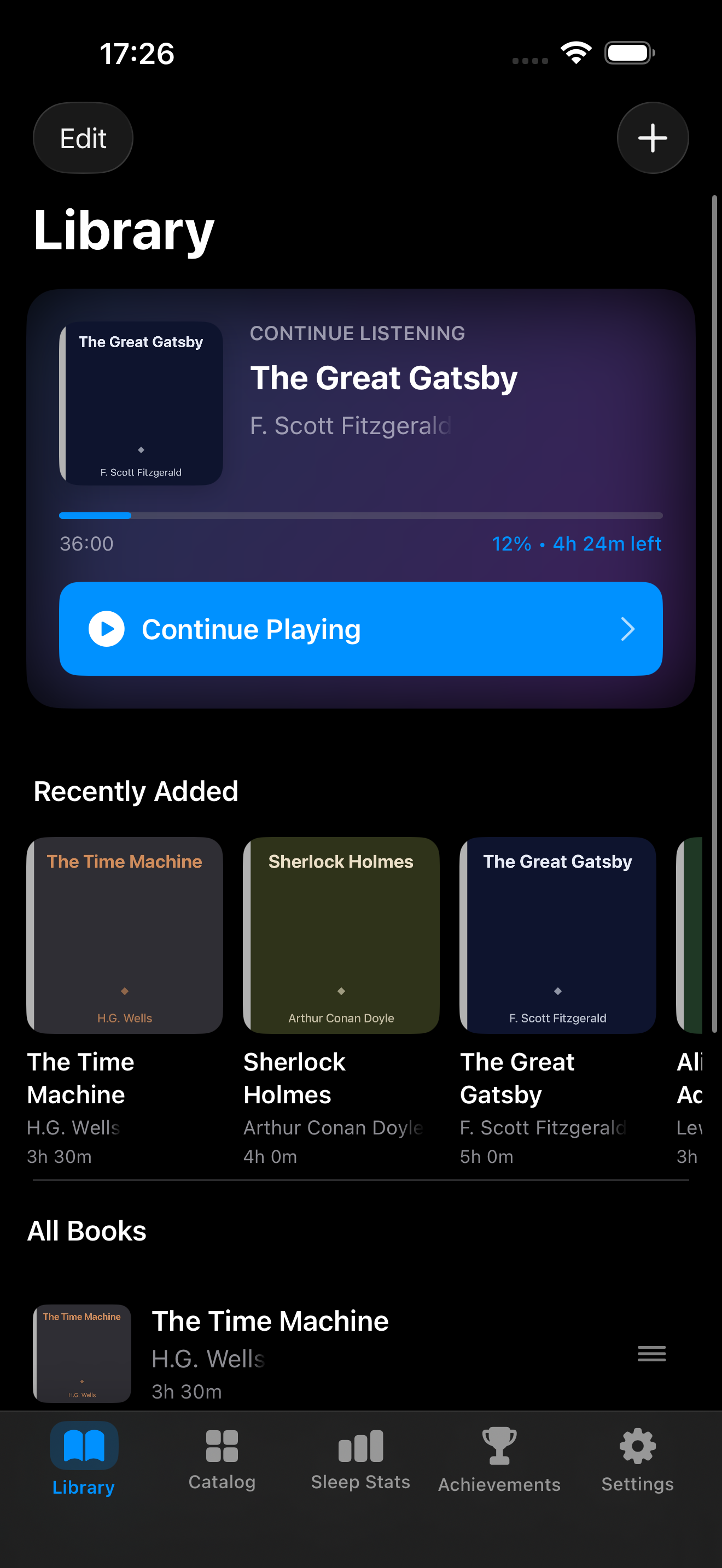
Import MP3, M4A, M4B, FLAC, and more. The books you already own, with chapter marks, bookmarks, and proper controls — a proper place for the library you already have.
Private by design
No account, no servers, no trackers. Your library, your progress, your pulse — all of it stays on your device. Nothing is sold, nothing is pushed — DreamRead only pauses what you opened when sleep arrives.
Three steps,
one quiet evening.
DreamRead follows your Apple Watch heart rate and pauses the instant you fall asleep.
Open to any page
Pick a book from the catalog or import your own. No account, no onboarding — the library is waiting.
Put on your Watch (optional)
With Apple Watch, the app learns how you fall asleep. Without one, set a sleep timer — everything else works the same.
Let the story begin
As you drift, the voice gently pauses. Your place is held until morning.
Pick up where you left off
The app knows exactly where you left off — often mid-sentence, always mid-thought.
Built for bedtime.
“Sleep Detection uses Apple Watch heart rate to pause playback when you drift off. No guessing with timers, no morning rewind ritual.”
“Bring your own audiobooks, or start with the built-in public-domain catalog. MP3, M4B, FLAC, bookmarks, chapters, sleep timer.”
“The app stays intentionally quiet: no feed, no ads, no account. Just bedtime listening designed around not losing your place.”
Two ways to press play.
Manual bedtime listening is free. Premium adds Apple Watch sleep-pause, an unlimited library, and the full history of everything you've listened to.
Everything needed to start listening before bed: public-domain classics, your own files, and calm playback controls.
- ◦Up to 50 audiobooks
- ◦Import your own MP3 / M4B / FLAC
- ◦LibriVox public-domain catalog
- ◦Sleep timer, bookmarks, chapters
- ◦Playback speed control
- ◦No account required
Everything for the evening ritual. Watch companion, unlimited library, full listening history.
- ●Everything in The Library
- ●Apple Watch sleep-pause that learns how you fall asleep
- ●Unlimited books, bookmarks, folders
- ●Listening history without the 7-day cap
- ●Sleep-quality summary for each session
- ●Direct support from the developer
How sleep
detection works.
The questions everyone asks before their first night with DreamRead.
Three things, once. (1) Install the DreamRead Watch app from your iPhone's Watch app. (2) Turn on Auto-pause in Settings → Sleep (Premium). (3) On your Apple Watch, open DreamRead one time before bed so we can start a background heart-rate session. After that you can lower your wrist and let the screen dim or lock. One thing to check: keep your watch out of Low Power Mode overnight, since Low Power Mode turns off background heart-rate readings.
It is designed to. You do not have to choose between DreamRead and Sleep Focus, and you keep all your Apple sleep metrics - DreamRead reads your heart rate through a background HealthKit workout session, so the watch can dim, lock, or return to the clock face and keep monitoring. Two caveats from real-world testing: keep the watch out of Low Power Mode overnight (it turns off background heart-rate readings), and if a book ever fails to pause under Sleep Focus, email us a Diagnostic Bundle - we are actively improving reliability in this exact scenario.
watchOS requires you to launch the app at least once per session to start its background workout session. We cannot start it remotely from the iPhone - it is an Apple rule. After that one tap, the screen can sleep and the session keeps running until the book stops or the night ends.
For sleep auto-pause, yes - we read your heart rate from the Watch. The rest of the app (library, catalog, sleep timer, bookmarks, manual playback) works fine on iPhone alone. If you do not have a Watch, just use the sleep timer.
On your iPhone, locally. Nothing is uploaded to our servers. If you turn on iCloud Sync (Stats) in Settings, your stats sync between your own devices through your private iCloud - we never see it. You can export or delete all data at any time from Settings.
Free to start: full library, manual playback, sleep timer, bookmarks, 7-day stats. Premium ($6.99/month or $39.99/year with a 7-day free trial) unlocks Watch-based sleep auto-pause, unlimited library, unlimited stats history, and folder organization.